John Hicks, a famous English designer, released a skin for Google Reader a few weeks ago. Installation requires just a few simple steps and it’s compatible with any browser (except IE).
Screenshots
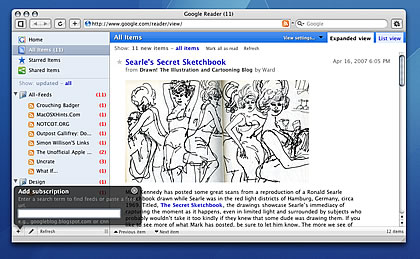
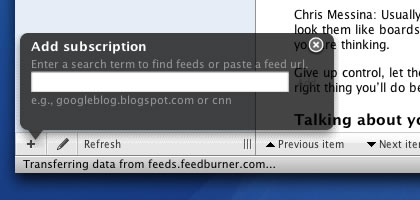
Installation
Download gReader.zip. There are two versions, one for Mozilla browsers and one for WebKit & Opera.
Firefox
After installing the [Stylish](https://addons.mozilla.org/en-US/firefox/addon/2108) extension, paste the contents of the CSS file into '_create styles for this page_'. Click the new icon that will appear in the statusbar.
Camino
Either paste it into the _/Library/Application Support/Camino/chrome/userContent.css_ file, or if it doesn't exist, rename the _greader.css_ file to _userContent.css_. The theme will be applied when you restart Camino.
Safari
Place the _greader.css_ file in the _user/Library/Safari/Stand/UserStyleSheets_ folder. Open Google Reader, open the _SafariStand > Settings > Site Alteration_ menu. Add the site, enable _Site Alteration_ and choose the _greader.css_ file from the list. Confirm that the _matching pattern_ is simply _www.google.com_. You may need to clear the cache and restart Safari.
Omniweb
In _Preferences > Page Appearance_, choose the _greader.css_ file under _'Style Sheet'._
Opera
Save the greader.css file in any folder. Open _Google Reader_, choose _"Edit Site Preferences"_ and select the CSS file in the _Display_ tab, under _'My Style Sheet'_.
Source: HicksDesign Journal